
Do you feel like no one on your team knows exactly who is working on what? Tasks get lost in emails, deadlines get pushed back, and meetings take half an hour to check how things are progressing? A Kanban board is one of the easiest ways to bring order to this.
In this tutorial, we’ll explain what Kanban is, how to design your own board, and how to avoid mistakes that cause teams to abandon Kanban after a few weeks.
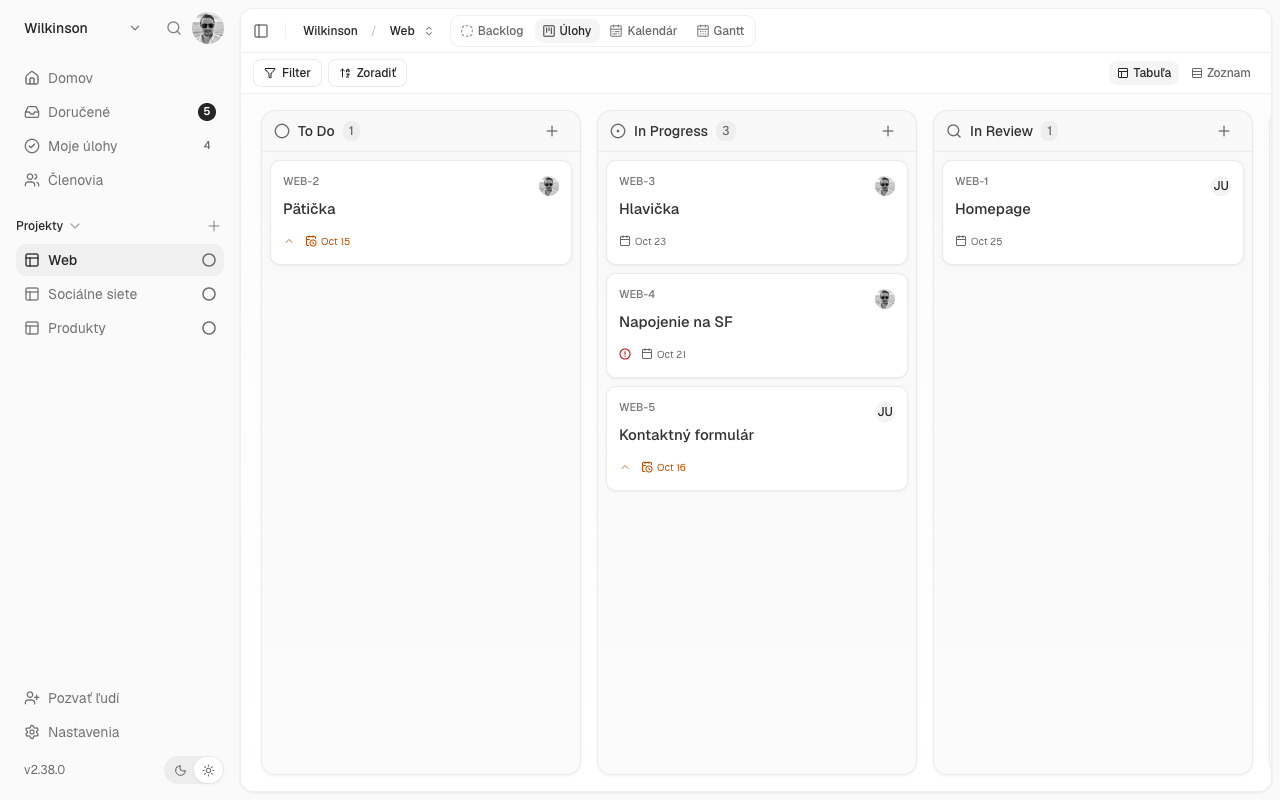
What is Kanban?
Kanban is a Japanese word that can be translated as “visual card” or “board.” The method originated at Toyota as a way of managing production. It was later adopted by teams that don’t build cars but work with information: developers, marketers, accountants, and service technicians.
The principle is simple:
- Each task is a card.
- The cards are divided into columns on the board. depending on what condition they are in.
- When work moves on a task, the card moves to the next column.
The entire team can see at a glance what is being done, what is pending, and what is done. No meetings, no Excel spreadsheets, no questions like ‘what does it look like with…?’.
Why Kanban works
- It is clear where the work has stalled. If cards pile up in one column, it’s clear where the problem is.
- Nothing will be lost. Every task has its place and its person.
- No need for much training. Everyone will understand the principle in a few minutes.
- You can start right away. There’s no need to change the way the entire company works, just start displaying it.
How to design a Kanban board step by step
Step 1: Start with three columns
The simplest board has three columns:
- For processing: tasks that need to be done
- It is done: tasks that someone is currently working on
- Done: completed tasks
This is enough to get you started. Only add more columns when you know you really need them.
Step 2: Fill in the columns according to how you actually work
After a few weeks, you may notice that some tasks are waiting for approval, a client, or a review. Add separate columns for these statuses, for example:
- Waiting for a client
- For inspection
- For approval
Rule: a column makes sense when a task is actually waiting in it and someone should know it’s there.
Step 3: Each card has a responsible person and a deadline
A card without a responsible person is a task that no one will do. So assign one person to each card. If the task has a deadline, write it directly on the card so it is visible.
Step 4: Reduce backlog
This is the most important and often overlooked step. Agree on how many tasks can be in the “To Do” column at a time, for example two per person.
Why? A person who has ten things going on at once will never finish any of them. The constraint forces the team to finish what they have started first and then take on new tasks. This principle in Kanban is called the WIP limit (from the English WIP limit). work in progress, work in progress).
Step 5: Look at the board together
A short joint check of the board once a week, ideally within 15 minutes, is enough to reveal what is stuck. Don’t talk about every card, but about those that haven’t moved in a long time.
Examples of Kanban boards in practice
Marketing
Ideas → In preparation → For approval → Scheduled → Published
Each card is a single post, article, or campaign. The “Pending Approval” column shows what’s waiting for management or the client.
Service and maintenance
Reported → Scheduled → In progress → Awaiting work → Resolved
The ‘Waiting for Part’ column shows why the job is not moving even though the technician cannot work on it.
Custom production
Inquiry → Offer → In production → Check → Submitted
The business owner can see on one screen how many orders are in which stage, without having to call people.
[OBRÁZOK: príklad tabule pre konkrétny tím]
The most common mistakes when implementing Kanban
- Too many columns right at the beginning. A ten-column board is confusing. Start simple.
- Cards without a responsible person. If it’s ‘everyone’s’ job, it’s no one’s.
- Nobody updates the board. A board that doesn’t reflect reality will lose trust and people will revert to email. Moving the card needs to be part of the job, not an extra task.
- Huge cards. ‘New website’ is not a task, it’s a project. Break it down into smaller tasks or subtasks that can be completed in a few days.
- Ignoring the ‘Done’ column. Clean it up occasionally to keep the board clean. Completed tasks don’t need to be deleted, just archive them.
Whiteboard or app?
Kanban can also be done with a board on the wall and sticky notes. For a team sitting in one room, it’s a good start.
However, the application has several advantages:
- everyone can see the board, even if they work from home or are in the field,
- Comments, deadlines and subtasks can be added to the card,
- the application will notify you of upcoming deadlines,
- The same work can be viewed in other ways: in a list, calendar, or timeline.
Kanban in Projecc
In Projecc, the Kanban board is the basic view of a project. You drag tasks between columns with the mouse and name the columns according to how you work. You assign a colleague, deadline, and priority to each task, and add comments, subtasks, and labels.
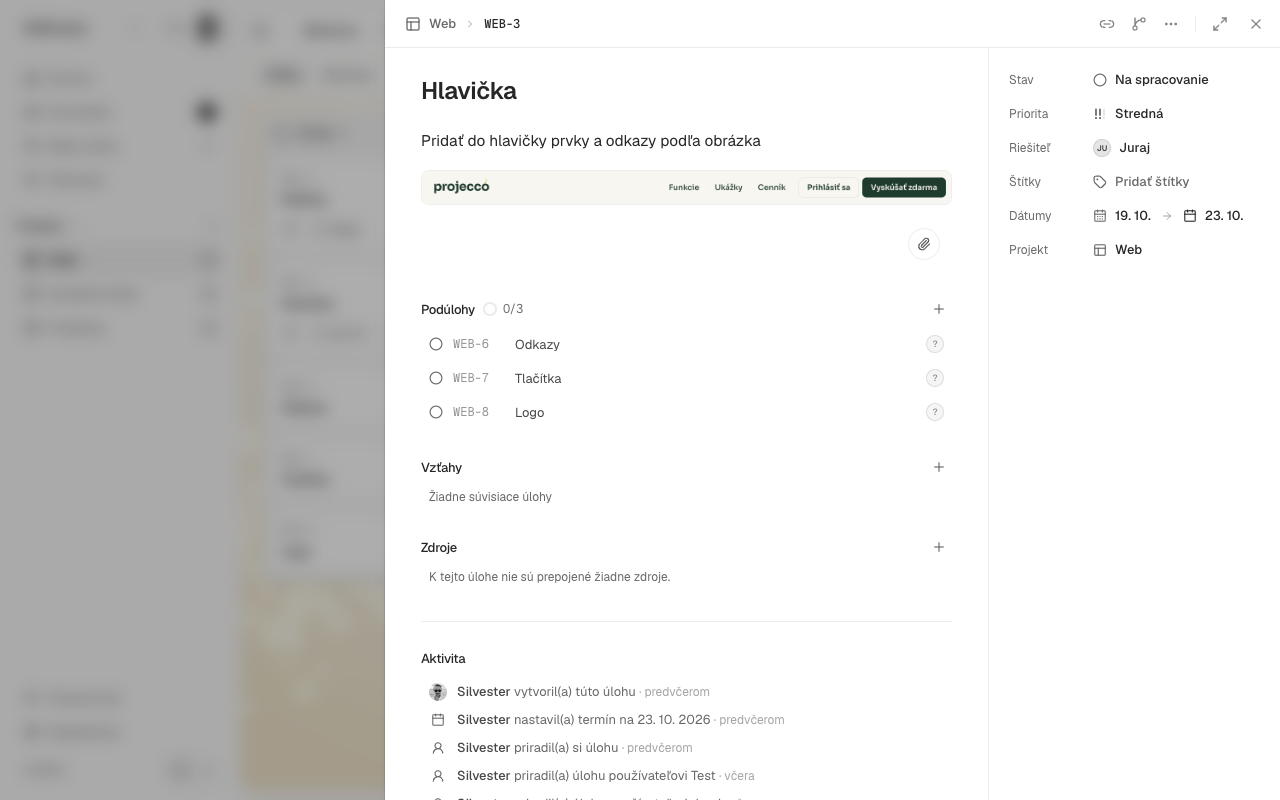
Changes are visible to everyone immediately, and Projecco will alert you to upcoming deadlines. And when you need to see deadlines differently, you can switch to the calendar or timeline. It’s all in Slovak.
Try Projecco for 14 days free, without a payment card.